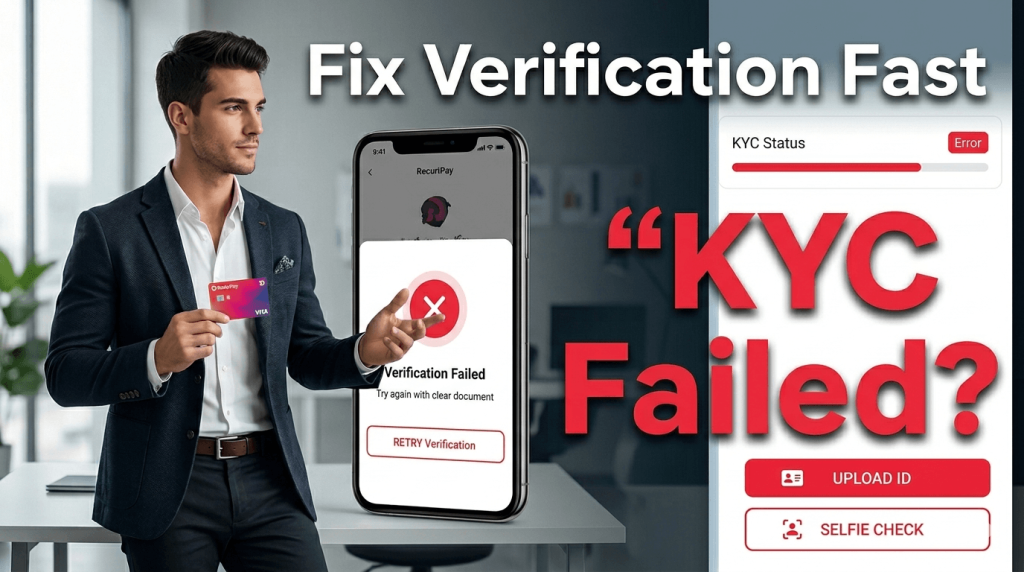
My KYC verification passed on the first try. But two friends who signed up the same week both failed — one twice. Watching them go through the process (and helping them troubleshoot) taught me a lot about what RedotPay's verification system actually looks for versus what people think it looks for.
Here are the 9 most common reasons KYC fails and how to fix each one.
Quick Checklist Before You Start
Don't even begin until you have these ready:
- Government-issued ID — passport, national ID card, or driver's license
- The ID must not be expired
- A well-lit room — natural light is best, avoid overhead fluorescent
- A plain background — no busy patterns or other people visible
- Your original ID — photos or photocopies of your ID are NOT accepted
- 5-10 minutes of uninterrupted time
Reason #1: Blurry or Low-Quality ID Photo
The issue: The most common failure. If the app can't clearly read your name, date of birth, document number, or photo, it auto-rejects.
How to fix:
- Place your ID on a flat, dark surface (a dark desk or cloth)
- Hold your phone parallel to the ID — not at an angle
- Make sure all four corners of the ID are visible in the frame
- Tap to focus on the ID before taking the photo
- Don't use a flash — it creates glare on laminated IDs
If your phone camera is old or low-quality, ask a friend to use theirs. The photo quality genuinely matters.
Reason #2: Expired ID Document
The issue: Your passport or ID card has passed its expiry date. RedotPay checks this automatically and rejects expired documents.
How to fix: Renew your ID first. There's no workaround — an expired document won't be accepted, period.
Reason #3: Name Mismatch
The issue: The name on your ID doesn't match the name you registered with. This happens when people use a nickname on sign-up.
How to fix:
- Use your full legal name — exactly as it appears on your ID — when registering
- Include any middle names that appear on the document
- If your name has special characters (é, ü, ñ), type them exactly as shown
- If you already registered with a wrong name, you'll need to contact support to update it before submitting KYC
Reason #4: Poor Selfie / Liveness Check Failed
The issue: The selfie verification checks for liveness (that you're a real person, not a photo or video of someone). Common failures: bad lighting, face partially covered, blurry image.
How to fix:
- Face a window for natural light — avoid backlighting (don't stand with a bright window behind you)
- Remove glasses, hats, face masks, and anything that covers your face
- Follow the on-screen instructions exactly — when it says "blink," actually blink clearly
- Hold the phone at eye level, not too close or too far (arm's length)
- Make sure your entire face is in the oval frame
Reason #5: Address Mismatch (Physical Card Users)
The issue: If you're planning to order a physical card, the shipping address needs to match or be consistent with your KYC address. Large discrepancies can trigger additional review.
How to fix:
- Use the same address format on both your KYC and card shipping
- If you've moved recently, use the address on your ID or a utility bill in your name for verification
- Don't use a P.O. Box as your primary address
This doesn't apply to virtual card users — you don't need a shipping address for a virtual card.
Reason #6: Unsupported ID Type
The issue: RedotPay accepts passports, national ID cards, and driver's licenses. It does NOT accept:
- Student IDs
- Company IDs
- Temporary IDs or paper permits
- Expired documents (yes, repeating this because people keep trying)
- Voter registration cards
How to fix: Use a government-issued passport or national ID. If you only have a driver's license, check if your country's license is accepted (most are).
Reason #7: Country Not Supported
The issue: RedotPay doesn't serve users in all countries. If you're a resident of the US, UK, Russia, or certain sanctioned regions, KYC will fail regardless of what ID you provide.
How to fix: Check RedotPay's supported countries list before signing up. If your country isn't supported, unfortunately there's no workaround.
Reason #8: Underage
The issue: You must be at least 18 years old to use RedotPay. The system checks your date of birth from your ID document.
How to fix: Wait until you're 18. There's no exception to this rule.
Reason #9: System Error or High Traffic
The issue: Sometimes KYC fails due to server issues on RedotPay's end, not because of anything wrong with your submission. This happened to one of my friends — he submitted perfect documents but got rejected.
How to fix:
- Wait 24 hours and try again
- Make sure you're using the latest version of the app
- Try at a different time of day (avoid peak hours)
- If it fails twice, contact support with screenshots of your submission
How Long Does KYC Take?
| Scenario | Typical Time |
|---|---|
| Everything is correct (first try) | 15 minutes - 4 hours |
| Minor issues (resubmit once) | 1-2 days |
| Manual review required | 1-3 business days |
| Support ticket needed | 3-7 business days |
Most people who submit correct documents get approved within a few hours. If you haven't heard back after 24 hours, it's likely flagged for manual review.
What Happens After KYC Approval?
Once approved:
- You'll receive a push notification and/or email
- Your $5 sign-up bonus (if you entered code TIMBE) will be credited to your wallet
- You can deposit crypto and apply for a card
- Use promo code OPENCLAW for 20% off the virtual card: see all codes
Tips to Pass on Your First Try
- Use a passport if you have one — it's the most universally accepted document and has the clearest information layout
- Take the ID photo in good natural daylight — this alone prevents 50% of failures
- Use your legal name exactly as shown on your ID during registration
- Don't rush the selfie — take a breath, center your face, and follow the prompts slowly
- Update your app to the latest version before starting
- Have a stable internet connection — the photos need to upload without interruption
Frequently Asked Questions
Can I change my name after registration?
Not through the app. You'll need to contact support to update your registered name. Have your ID ready as proof.
I failed twice. What should I do?
Contact RedotPay support through the app (Settings → Help & Support) and ask for a manual review. Include clear photos of your ID and explain what happened. They're slow to respond, but they will eventually get to it.
Does KYC need to be renewed?
RedotPay may ask you to re-verify periodically (usually when your ID is close to expiring). Keep your documents updated to avoid service interruptions.