I Got Tired of PayPal's Fees. So I Switched to RedotPay.
As a freelance web developer, I work with clients from the US, Europe, and Southeast Asia. For two years, I accepted payments through PayPal and Wise. Then I looked at my transaction history and realized something painful: I was losing roughly $200-300 per month to conversion fees, withdrawal fees, and PayPal's arbitrary holds.
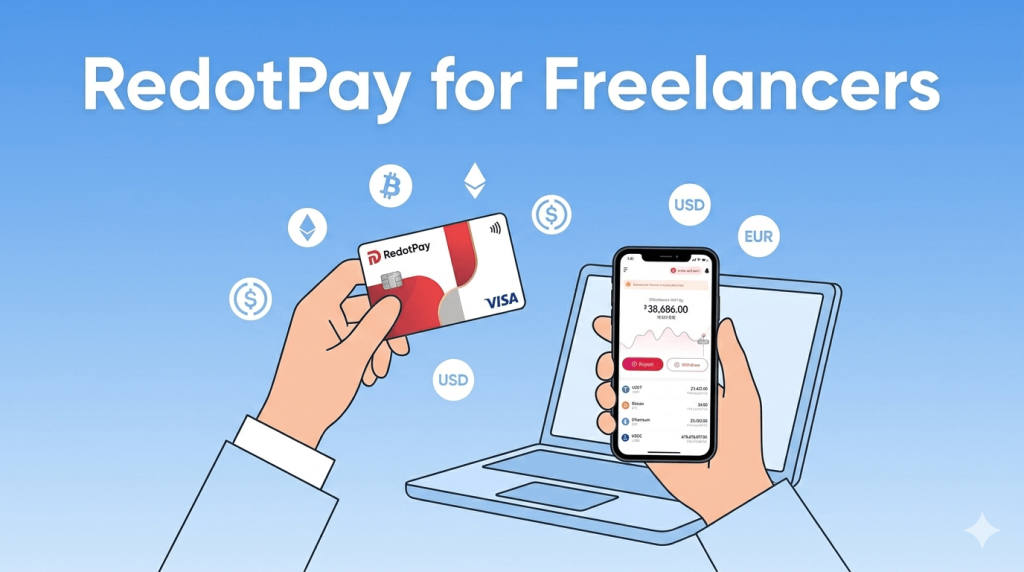
A friend who does freelance design told me about RedotPay — a crypto card that lets you receive USDT and spend it like a regular Visa card. I was skeptical at first. "Crypto payments for freelancing? That sounds complicated."
It's not. Here's everything I learned after 4 months of receiving client payments through RedotPay.
The Problem: Why Traditional Payment Methods Suck for Freelancers
Before I explain how RedotPay works, let me show you what I was dealing with:
PayPal
- Cross-border fee: 4.4% + a fixed amount based on the currency
- Currency conversion: Another 3-4% markup on top
- Withdrawal to bank: $5 per withdrawal in my country
- Holds: Random 21-day holds on "new" transactions
On a $1,000 payment, I'd typically receive around $890 after all fees. That's $110 gone — just for the privilege of getting paid.
Wise (formerly TransferWise)
- Better rates than PayPal (usually 1-2% for conversion)
- Transfer fee: Around $3-8 per transaction
- Bank transfer: Free to my local bank account
- Problem: Some clients don't have Wise or don't want to set it up
Wise was better — maybe $920-940 on that same $1,000. But it still wasn't great.
Coinbase / Binance Direct
- Some clients offered to pay in crypto directly
- But then I'd need to convert to fiat, transfer to bank, wait 1-3 days
- And pay withdrawal fees on the exchange side
- Too many steps, too much friction
RedotPay promised to solve the main problem: receive crypto, spend it immediately as fiat. No bank transfer, no exchange withdrawal, no waiting.
How I Set Up RedotPay for Freelance Payments
Here's the exact process I followed. It took about 30 minutes total, including KYC verification.
Step 1: Create Your Account
I downloaded the RedotPay app and signed up. If you're reading this before creating an account, use the code TIMBE when registering — you'll get a free $5 credit in your wallet. It's not much, but hey, it covers a coffee.
For the card itself, I got the virtual card (more on why below) using code OPENCLAW, which knocked the fee from $10 down to $8. Read my complete setup guide if you want a walkthrough.
Step 2: Complete KYC Verification
This took me about 10 minutes. I uploaded my passport and a selfie. It was approved within 2 hours, though I've heard it can take up to 24 hours. If you run into issues, check my KYC troubleshooting guide.
Step 3: Share Your Deposit Address with Clients
This is the key step. In the RedotPay app, go to the deposit section and you'll see addresses for different cryptocurrencies. I give my clients my USDT address (TRC-20 network) because USDT has minimal price fluctuation — what they send is basically what I receive.
Important: Make sure your client sends on the correct network. I once had a client send USDT on ERC-20 instead of TRC-20. It still arrived, but the network fee was $8 instead of $1. Lesson learned — always specify the network.
Step 4: The Money Lands in Your Wallet
For USDT on TRC-20, my deposits usually arrive within 1-5 minutes. I've never waited longer than 15 minutes. The moment it arrives, it's in my RedotPay balance and I can use the card immediately.
No waiting for bank processing. No "funds pending" message. It's just... there.
My Real-World Experience: 4 Months of Freelance Payments
Here's a breakdown of what happened over my first 4 months:
Month 1: Testing
I asked one trusted client (a startup founder in Singapore) to pay me via USDT instead of PayPal. He was already familiar with crypto, so it was easy. The payment was $2,000 USDT.
I received exactly $2,000. No fees deducted by RedotPay on the deposit side. I then used my virtual card to pay for my hosting ($12/mo), domain renewals ($15), and a Figma subscription ($15/mo). Everything worked seamlessly.
Month 2: Expanding
I asked two more clients to switch. One (in Germany) was hesitant — he'd never sent crypto before. I walked him through it on a 5-minute call. After that, he actually preferred it because his bank's international transfer fee was €25 per transaction.
The other client (in the US) was already using Coinbase, so sending USDT was trivial for him.
Month 3: Mostly Crypto Now
Out of 5 active clients, 4 were paying me in USDT. Only one insisted on bank transfer (their company policy). I received roughly $6,500 that month through RedotPay.
I also got the physical card this month using code AIAGENT (brought the $100 fee down to $80). I wanted it for situations where I couldn't use Apple Pay — mainly restaurants and some stores that only accept physical cards.
Month 4: Current Setup
All 5 clients now pay via USDT. I haven't used PayPal for freelance payments in 6 weeks. My RedotPay card is in my Apple Wallet and I use it for almost everything.
The Fees — What I'm Actually Paying
Let me be transparent about what it costs:
| Action | Fee |
|---|---|
| Receiving USDT deposit | Free (sender pays network gas fee, usually $1 for TRC-20) |
| Virtual card setup | $10 ($8 with OPENCLAW) |
| Physical card setup | $100 ($80 with AIAGENT) |
| Monthly / annual card fee | $0 |
| Online purchases | No extra fee |
| Currency conversion (if buying in non-USD) | Applied by Visa, typically ~1% |
| ATM withdrawal | Varies by ATM operator (see my ATM guide) |
So on a $2,000 USDT payment, I keep the full $2,000 (minus the $1 network gas that the client pays). Compared to PayPal's ~$110 in fees, that's significant over time.
Need more details on saving money with RedotPay? I put together a complete savings guide with all the promo codes and strategies I use.
How I Handle Invoicing and Taxes
This is the part nobody talks about, so I'll share what I figured out:
Invoicing
I create invoices the same way I always did — I just changed the payment method line from "PayPal: [email protected]" to "USDT (TRC-20): [my wallet address]". I also added a note: "Payment typically arrives within 5 minutes of sending."
Most clients actually appreciated the faster payment processing. One client told me their accounting department preferred it because there was no "pending" period to track.
Taxes
I am not a tax advisor. This is just what I do for my situation (I'm based in Southeast Asia). In my jurisdiction, receiving payment for services in USDT is treated the same as receiving foreign currency. I convert the USDT amount to my local currency at the exchange rate on the date of receipt and record it as income.
The RedotPay app shows transaction history with dates and amounts, which helps for bookkeeping. I screenshot or export transactions monthly.
Please consult a tax professional in your own country. Crypto tax laws vary wildly depending on where you live.
The Downsides (Because It's Not Perfect)
I want to be honest about the problems I've encountered:
Price Volatility on Non-Stablecoin Payments
One client asked if they could pay in ETH. I said sure — then ETH dropped 8% between when they sent it and when I checked my balance. I lost about $160 on a $2,000 payment. After that, I told all clients: USDT only, please.
No Direct Client Management Features
RedotPay isn't a freelancer platform. There's no invoice generator, no project tracking, no escrow. It's just a payment card. You still need to manage your client relationships and contracts separately.
Not Available Everywhere
RedotPay doesn't serve users in the US, UK, or Russia. If you're a freelancer based in one of those countries, this won't work for you. Check out my full review for more details on supported regions.
Withdrawal Limits
There are daily and monthly limits on spending and ATM withdrawals. For normal freelance expenses, I've never hit them. But if you're handling very large volumes ($10,000+/month), check the current limits in the app.
Is RedotPay Worth It for Freelancers? My Verdict
After 4 months, here's my honest take:
Use RedotPay if:
- You work with international clients and lose money on cross-border fees
- Your clients are comfortable with (or open to) crypto payments
- You spend a significant portion of your income online (software, hosting, subscriptions)
- You want to avoid PayPal's holds and unpredictable fees
Stick with traditional methods if:
- All your clients are in the same country (local bank transfer is simpler)
- Your clients refuse to use crypto
- You need features like escrow protection or dispute resolution
- You're in the US or UK (RedotPay isn't available there yet)
For me, RedotPay saves me roughly $200-300 per month in fees compared to PayPal. Over a year, that's $2,400-3,600. The virtual card cost me $8. That's a pretty good ROI.
Frequently Asked Questions
Can clients pay in any cryptocurrency?
RedotPay supports USDT, USDC, BTC, ETH, BNB, SOL, TRX, TON, and XRP. But I strongly recommend asking clients to pay in USDT (TRC-20) to avoid volatility. The other coins work fine, but their prices fluctuate — you might receive more or less than expected.
Is there a minimum deposit amount?
Not that I've encountered. I've received payments as small as $50 USDT and as large as $5,000 USDT without issues.
What happens if a client sends to the wrong network?
The funds will likely still arrive, but it might take longer and the gas fee will be higher. If your client sends on a completely incompatible network (like sending BTC to an ETH address), the funds could be lost. Always double-check the network with your client before sending.
Can I withdraw from RedotPay to my bank account?
Yes, you can sell crypto in the app and withdraw to a linked bank account. I haven't done this much because I prefer spending directly from the card, but the option is there. Fees apply for the withdrawal — check the current rates in the app.
Do I need to tell my clients about RedotPay?
No. Your clients just need a crypto wallet to send USDT. They don't need to know about or use RedotPay themselves. You're just giving them a wallet address to send to.
Getting Started
If you're a freelancer considering this, here's what I'd do:
- Download the RedotPay app and create an account (use TIMBE for the $5 bonus)
- Complete KYC verification
- Get a virtual card with code OPENCLAW (only $8)
- Ask your most crypto-friendly client to do a small test payment first
- If it works smoothly (it will), roll it out to other clients
For the full step-by-step setup walkthrough, check out my beginner's guide. And if you want to maximize savings, my complete savings guide covers every promo code and strategy I've found.
Switching payment methods is always a bit of a hassle. But the $200+ per month I save makes it very much worth it. If you have questions about my setup, drop a comment below.