Three months ago, I had never used a crypto card in my life. I'd heard about them — the idea of spending USDT at a regular store sounded cool — but the whole process felt intimidating. Which app? Which card? Do I need to convert my crypto first? What if something goes wrong?
I ended up going with RedotPay, and honestly, the setup was simpler than I expected. But I definitely made a few mistakes along the way that cost me time (and a couple of dollars). This guide is the one I wish I'd had when I started — a clear, honest walkthrough from someone who just went through it.
What You'll Need Before Starting
Before you download anything, make sure you have these ready:
- A phone — iOS (App Store) or Android (Google Play)
- A valid government ID — passport or national ID card (for KYC verification)
- Some crypto — USDT is the easiest, but they also accept BTC, ETH, BNB, SOL, TRX, TON, and XRP
- 5-10 minutes for the initial setup
If you don't have crypto yet, don't worry — many freelancers ask their clients to pay them directly in USDT. Check out my guide on receiving crypto payments as a freelancer to see how that works. Alternatively, you can buy USDT on any crypto exchange and transfer it to your RedotPay wallet.
Step 1: Download and Create Your Account
Search for "RedotPay" in your app store. The app icon is a red card design. Download it and open it.
When creating your account, you'll be asked for:
- Email address — use a real one, you'll need it for verification
- Phone number — they'll send a verification code via SMS
- A password
Pro tip: During the sign-up process, you'll see a field for a referral code. Enter TIMBE — this gives you a free $5 credit in your wallet right after you complete verification. It's not much, but hey, it covers a coffee. More details on what you can do with it in my $5 bonus guide.
Step 2: Complete KYC Verification
KYC stands for "Know Your Customer" — it's a standard identity check that pretty much every financial app requires. RedotPay uses it to comply with regulations.
Here's what the process looks like:
- Upload a photo of your ID — passport or national ID. Make sure the image is clear and all four corners are visible.
- Take a selfie — the app will ask you to position your face in an oval and blink or turn your head. It took me about 30 seconds.
- Wait for approval — this can take anywhere from a few minutes to a few hours. Mine was approved in about 20 minutes, but some friends reported waiting up to 4 hours.
If your verification fails — and this happens more often than you'd think — check out my troubleshooting guide. The most common reasons are blurry ID photos or expired documents.
Step 3: Deposit Crypto
Once your account is verified, you need to put some crypto in before you can apply for a card. Here's how:
- Go to Wallet in the app
- Tap Deposit
- Select your cryptocurrency — I recommend USDT for beginners because the value is stable
- Choose the network — this matters a lot. If you're sending from Binance, use TRC20 (Tron) because the fee is around $1. ERC20 (Ethereum) can cost $5-15 in gas fees. For a full breakdown, read my deposit guide
- Copy the deposit address and paste it into your exchange's withdrawal page
- Double-check the network matches — sending on the wrong network means your funds are gone
Deposits usually arrive within 10-30 minutes depending on the network. TRC20 is typically faster and cheaper than ERC20 or BEP20.
Step 4: Apply for Your Card
This is where the magic happens. RedotPay offers two types of cards:
Virtual Card (What I Got First)
The virtual card costs $10, activates instantly, and works for online payments and mobile wallets (Apple Pay, Google Pay). This is what I recommend starting with.
How to apply:
- Go to Cards → Apply for Card
- Select Virtual Card
- Enter your details (name as it appears on your ID)
- In the Promo Code field, type OPENCLAW — this gives you 20% off, bringing the cost down to $8
- Pay from your wallet balance
- Your card number, expiry date, and CVV appear instantly
You can also use DW20OFF as an alternative — it does the exact same thing. I've tested both and confirmed they work. See my full promo code list for all verified codes.
Physical Card (If You Need ATMs)
The physical card costs $100, gets mailed to you (took about 2 weeks for me), and works at ATMs and physical point-of-sale terminals worldwide. It's a bigger investment, but useful if you travel a lot or need cash.
Use code AIAGENT or DW2025 for 20% off ($80 instead of $100). More details in my physical card review.
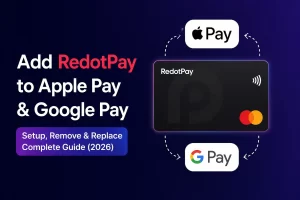
Step 5: Add to Apple Pay or Google Pay (Optional but Recommended)
If you got the virtual card, I strongly recommend adding it to your phone's wallet. This is how I use my RedotPay card 90% of the time.
For Apple Pay:
- Open the Wallet app on your iPhone
- Tap the + button
- Select Debit or Credit Card
- Either scan the card or type the details manually
- Follow the verification steps
Google Pay is similar. If it fails the first time (mine did), don't panic — check my troubleshooting guide for fixes.
Step 6: Make Your First Purchase
With your card set up, you're ready to go. Here's where I tested mine:
- Online: I bought a domain name on Namecheap — worked perfectly, processed as a regular Visa transaction
- Apple Pay: Used it at a convenience store to buy snacks — tapped my phone, done in 2 seconds
- Subscription: Set up my Netflix and Spotify subscriptions — no issues
The crypto-to-fiat conversion happens automatically at the time of purchase. You don't need to manually convert anything. The exchange rate is based on market rates at that moment, plus RedotPay's spread (which I found to be quite small — usually less than 1% for USDT).
Common Mistakes I Made (So You Don't Have To)
Mistake 1: Forgetting the promo code
I applied for my first virtual card at full price ($10) because I didn't know promo codes existed. Don't do that. Use OPENCLAW and save $2. It's not a fortune, but it's a free lunch.
Mistake 2: Choosing the wrong deposit network
I sent USDT via ERC20 from my Binance account and paid $8 in gas fees. If I'd chosen TRC20, it would've cost $1. Lesson learned. Always pick the network with the lowest fee — here's a full fee comparison.
Mistake 3: Not reading the $5 bonus rules
I assumed the $5 sign-up bonus could be used to pay for my card. It can't — it's for spending only, and it expires in 30 days. I almost let it expire before using it on a small purchase. Full rules here.
How Much Does the Whole Thing Cost?
| Item | Cost |
|---|---|
| Account creation | Free |
| KYC verification | Free |
| Virtual card (with promo code) | $8 |
| Physical card (with promo code) | $80 |
| Monthly maintenance fee | $0 |
| Apple Pay / Google Pay | Free |
| Deposit from exchange | Network fee only ($1-15) |
The biggest ongoing cost is zero — there are no monthly or annual fees. You only pay when you apply for a card. That's actually one of the things that made me choose RedotPay over competitors.
Is It Worth It?
After three months of daily use, here's my honest take:
Pros: No monthly fees, instant virtual card activation, works with Apple Pay, accepted at most places that take Visa, the crypto conversion is seamless.
Cons: Customer support is mostly AI-powered and slow for complex issues. Your first international transaction might get declined (mine did — it worked on the second try). Only supports major cryptocurrencies — if you hold altcoins, you'll need to swap first.
For me, the pros heavily outweigh the cons. If you already hold crypto and want a convenient way to spend it, it's absolutely worth the $8 for a virtual card. For a deeper analysis, read my 3-month review.
Frequently Asked Questions
How long does KYC verification take?
Usually 15 minutes to 4 hours. Some users report it taking up to 24 hours during busy periods. Make sure your ID photo is clear and the document hasn't expired.
Can I use RedotPay if I'm in the US or UK?
Unfortunately no. RedotPay doesn't serve users in the United States, United Kingdom, or Russia. Check the full list of supported countries in the app before signing up.
What happens if my card gets declined?
It happens. My card was declined twice before it started working consistently. The most common fixes are: make sure you have sufficient balance, try again (sometimes it's a temporary issue), and check that the merchant accepts prepaid Visa cards. Read my full troubleshooting guide for all 7 fixes I found.
Can I have both a virtual and physical card?
Yes. I have both. The virtual card is for daily online spending and Apple Pay, the physical card stays in my wallet for travel and emergencies.
Next Steps
Once you've got your card up and running, here are some useful guides: